Table of Contents (16 sections)
Smart home automation tools have revolutionized our living spaces, integrating technology to enhance convenience, efficiency, and security. These tools allow homeowners to control various aspects of their home environment—from lighting and climate to security systems—through a centralized system. As of 2026, the adoption of smart home technology has surged, transforming ordinary homes into smart homes. But what exactly are smart home automation tools, and why should you consider integrating them into your life?
What Are Smart Home Automation Tools?
Smart home automation tools refer to devices and systems that automate household tasks and enable remote control of various home functions. They can include smart thermostats, security cameras, smart lighting systems, and home assistants, among others. The primary goal is to enhance the efficiency of home management, providing users with better control over their living environments.
According to a 2025 report by UFC-Que Choisir, the smart home market has grown by over 20%, driven by increasing consumer demand for convenience and energy efficiency.
Features and Benefits
The appeal of smart home automation tools lies in their numerous benefits:
- Convenience: Users can control devices from anywhere using smartphones or tablets.
- Energy Efficiency: Smart thermostats and lighting systems can significantly reduce energy consumption.
- Enhanced Security: Smart locks and security cameras offer increased safety and peace of mind.
- Customization: Users can create personalized routines and schedules to streamline daily tasks.
Additionally, automation tools can interact with each other, providing a seamless experience. For instance, a smart thermostat can adjust the temperature when you arrive home, automatically optimizing comfort.
How to Set Up Smart Home Automation Tools
Setting up smart home automation involves several key steps:
- Determine Your Needs: Evaluate what areas of your home you want to automate (e.g., lighting, security, entertainment).
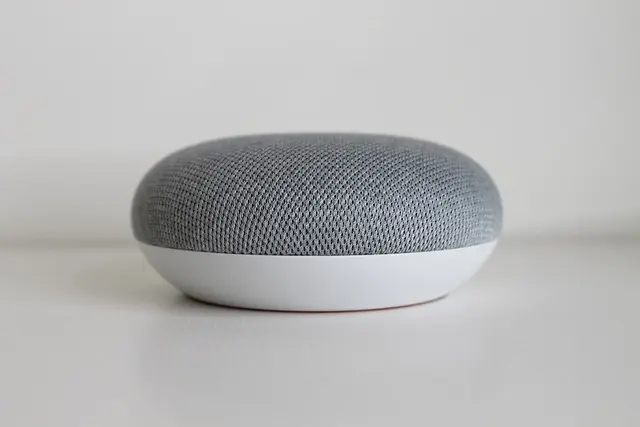
- Choose a Hub: A central hub like Amazon Echo or Google Home can control multiple devices across different brands.
- Select Compatible Devices: Research devices that work seamlessly with your hub and meet your requirements (e.g., smart lights, cameras).
- Install the Devices: Follow the manufacturer's instructions to set up your devices, often involving connecting them to Wi-Fi and your home hub.
- Customize Automation Routines: Use the associated app to create routines that allow for automation (e.g., setting lights to turn on at sunset).
By following these steps, you can create a cohesive smart home ecosystem tailored to your lifestyle.


WHALL - 2 Slice Toaster, Toasters 2 slice, Smart Bread Toaster, Touchscreen Toaster wide slots - Stainless Steel
bestbuy.com

MOVO - PR-1 Smartphone Grip Handle Rig - Compatible with Most Smartphones
bestbuy.com
Comparative Analysis of Leading Smart Home Automation Devices
When selecting smart home automation tools, it can be beneficial to compare different products based on their features and performance. Here’s a simplified table comparing three popular categories of smart home devices:
| Device Type | Option A | Option B | Option C | Verdict |
|---|---|---|---|---|
| Smart Thermostat | Model X | Model Y | Model Z | Best energy savings with A |
| Smart Lighting | Smart Light A | Smart Light B | Smart Light C | C offers best flexibility |
| Security Camera | Camera Model 1 | Camera Model 2 | Camera Model 3 | B is best for night vision |
Current Trends and Statistics in Smart Home Automation
The smart home automation market is growing rapidly, with projections indicating it will reach $174 billion by 2026. This growth can be attributed to the increased emphasis on energy efficiency and the popularity of smart technologies in relation to everyday home activities. Even the International Data Corporation (IDC) notes that smart home device sales saw a record rise of 30% from 2024 to 2025. Users today prioritize interoperability between devices, with 45% of households indicating they desire compatibility with existing devices.
Cybersecurity Considerations
As the integration of smart devices increases, so do concerns regarding cybersecurity. Studies indicate that attackers often target unsecured devices to gain access to personal data. Therefore, it's crucial to use devices that prioritize security, such as those featuring two-factor authentication and regular firmware updates.
📺 Resources Videos
> 📺 For further insights: Understanding Smart Home Automation: Why It's the Future of Living?, a deeper dive into the future of smart technology in homes. Search on YouTube: "smart home automation tools 2026".
Expert Advice
> 💡 Expert Opinion: Many homeowners report that investing in smart home technology not only enhances convenience but also adds resale value. According to Les Numériques, the increase in smart features is one of the most sought-after home features by modern buyers. Integrating these tools can considerably improve daily life quality.
What is the best smart home automation tool for beginners?
Answer: A user-friendly hub like Amazon Echo or Google Home is ideal for beginners, offering easy integration with various devices.
Can smart homes be hacked?
Answer: Yes, but utilizing secure devices with strong passwords and regular updates can significantly reduce vulnerabilities.
How much can I save on energy with smart devices?
Answer: Many users report saving between 10-30% on energy bills after implementing smart home technology.
Are smart home devices easy to install?
Answer: Most smart home devices come with straightforward installation instructions and many can be set up within minutes.
Drop Dash Deals Screen Clip Phone Mount, Universal Smartphone Holder Screen Clip Phone Mount, Universal Smartphone Holder
inspireuplift.com


Smart Smartphone Case - For Samsung Galaxy XCover6 Pro Smartphone - Black
bestbuy.com
Glossary
| Term | Definition |
|---|---|
| Smart Home Hub | A center that connects and controls various smart devices in a home. |
| Interoperability | The ability of different smart devices to communicate and work together. |
| Firmware Update | An update that improves a device's software, often enhancing security and functionality. |
Checklist Before Purchase
- [ ] Identify which areas to automate.
- [ ] Research compatible devices with your hub.
- [ ] Check security features of devices.
- [ ] Assess user reviews for product reliability.
- [ ] Determine energy savings potential.
In conclusion, integrating smart home automation tools into your living space can substantially enhance your comfort, convenience, and security. As technology continues to evolve, staying informed about the latest innovations and updates will help you make the best choices.
Discover our recommendations below to begin your journey toward a smarter home.
📺 Pour aller plus loin : smart home automation tools 2026 sur YouTube
Recommended products
Selected by our experts

Movo PR-1 Smartphone Grip Handle Rig - Compatible with Most Smartphones black
shop.simon.com