Table of Contents (25 sections)
In today’s world where security is a paramount concern for homeowners, smart home security devices have emerged as an effective solution to enhance safety and peace of mind. These advanced gadgets offer a blend of technology, convenience, and functionality, enabling users to monitor and secure their homes from virtually anywhere. But with so many options available, how do you choose the right smart security devices for your home? In this guide, we’ll explore the essential aspects of smart home security systems and provide a clear pathway to help you make informed decisions.
1. Understanding Smart Home Security Devices
Smart home security devices are essentially Wi-Fi-enabled gadgets that allow you to monitor your home through various means, ensuring safety against intrusions and emergencies. They range from cameras, alarms, and door locks to entire home monitoring systems. The Internet of Things (IoT) has paved the way for these devices, making them accessible and often controllable via smartphone applications.
The importance of integrating smart security systems cannot be overstated; according to UFC-Que Choisir, around 70% of burglaries occur in residential areas, and many of these incidents could be deterred by visible security measures. Investing in a smart home security system not only protects your property but also provides you with a sense of reassurance. Furthermore, their remote capabilities empower users to keep track of their homes while they are away.
2. How to Choose the Best Smart Home Security Devices
When it comes to selecting smart home security devices, follow these essential steps to ensure you invest wisely:
Step 1: Assess Your Needs
Before diving into the world of smart security, evaluate what you really need. Consider areas in your home that require more protection, such as entrances or valuable storage areas. Performing a risk assessment will help prioritize which devices will serve your security needs best.
Step 2: Explore Types of Devices
Smart cameras, alarms, locks, and sensors are the primary categories of smart security devices. A smart camera enables visual monitoring through live feeds, while smart locks improve access control. Alarms create an audible alert during a breach, and sensors detect motion or environmental changes. Each category is tailored to address different security concerns, so think about what fits your strategy.
Step 3: Compatibility and Integration
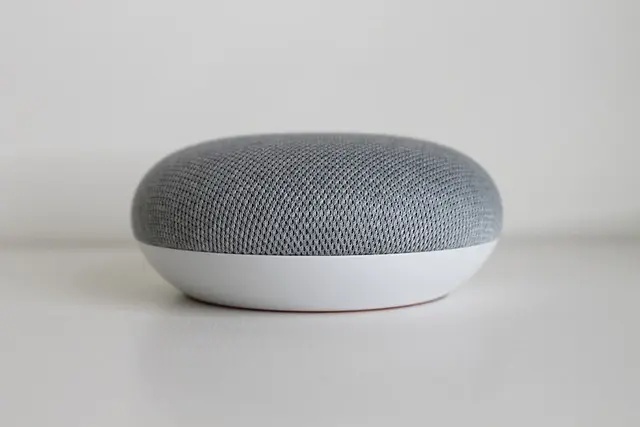
Select devices that are compatible with existing smart home ecosystems. Popular systems like Google Home, Amazon Alexa, and Apple HomeKit offer seamless integrations. A unified system streamlines control, making it easy to manage your security measures through one app or device.
Step 4: Evaluate Features
When you compare smart home security devices, consider crucial features such as night vision, two-way audio, installation ease, and battery life. Look into user reviews on platforms like Les Numériques to gauge the performance of the devices in real-life scenarios.
Step 5: Budgeting
Smart home security devices can vary widely in price. Set a budget that balances your security needs with your financial capabilities. Remember, quality often comes with a price, and it’s essential to weigh up what you’ll receive for the cost.
Step 6: Future-Proof Your Investment
As technology evolves, ensure your devices are upgradable. Some manufacturers offer software updates that enhance the functionality of existing devices. Research products with a record of reliable updates to maintain security effectiveness over the long run.


3. Setting Up Smart Home Security Devices
Setting up smart home security devices can be straightforward when following a systematic procedure. Here’s a step-by-step guide on how to effectively install and configure these devices:
Step 1: Read the Instructions
Each security device comes with a user manual. Take time to read these to understand specific installation requirements and features.
Step 2: Ensure Wi-Fi Coverage
Most smart devices need a stable Wi-Fi connection. Check the strength of your network at the installation locations. If necessary, use a Wi-Fi extender to improve coverage.
Step 3: Follow Specific Installation Procedures
- Cameras: Mount them at a height that provides a broad view while being difficult to tamper with.
- Locks: Follow the installation steps carefully to remove old locks and install new smart ones correctly.
- Sensors: Test their positioning to ensure reliable detection without false alarms.
Step 4: Connect to the App
Download the respective application of your chosen device and create an account. Follow the prompts to connect your device to your Wi-Fi network.
Step 5: Customize Settings
Once connected, customize your settings, including alerts, monitoring schedules, and integration with other smart devices. Regularly check these settings to adapt them to your lifestyle changes.
Step 6: Test the System
Finally, test your entire system to ensure each device operates correctly. Check camera feeds, test alarms, and confirm that all devices communicate effectively.
4. Comparing Smart Home Security Solutions
The market offers various smart home security solutions, each with distinct advantages. Here’s a comparative analysis:
| Feature | Option A | Option B | Option C | Verdict |
|---|
5. Frequently Asked Questions (FAQ)
Q1: What are the most essential smart home security devices?
A1: Essential devices typically include security cameras, smart locks, and motion sensors, as these provide comprehensive coverage for your home.
Q2: How much does it cost to set up a smart home security system?
A2: Costs can vary depending on the devices and setup complexity; a basic setup may start from $300 to $500 but can go higher based on feature set and number of devices.
Q3: Can I monitor my smart security devices from my phone?
A3: Yes, most smart security devices come with integrated apps allowing you to monitor and control them remotely from your smartphone.
Q4: Is a subscription required for smart home security devices?
A4: Some systems require a subscription for advanced features like cloud storage for video footage, while others may offer free options.
📺 For further exploration: How to Set Up Your Smart Home Security System, a valuable step-by-step resource. Search on YouTube: smart home security setup 2026.
Checklist before purchase
- [ ] Assess your security needs.
- [ ] Research different types of devices.
- [ ] Check compatibility with existing smart systems.
- [ ] Evaluate device features and read reviews.
- [ ] Set a realistic budget for your security investment.
Glossary
| Term | Definition |
|---|---|
| IoT (Internet of Things) | A network of interconnected devices that communicate and exchange data. |
| Smart Lock | A digital lock that allows keyless entry via smartphone controls. |
| HD Video | High-definition video providing clearer resolution for surveillance. |
By following these guidelines and utilizing the best smart home security devices, you can effectively safeguard your home while enjoying the convenience they provide. To enhance your home security, we have selected several products ideal for your setup. Check out the recommendations below!
📺 Pour aller plus loin : smart home security setup 2026 sur YouTube
Recommended products
Selected by our experts
Cluzine - Mini Smart Security Camera, Compact WiFi Camera
bestbuy.com
This mini smart security camera is perfect for discreet monitoring, making it an ideal choice for enhancing home safety.
Eufy Indoor Cam E220 (2K, 2-Cam Kit, Pan & Tilt) White / 2-CAM KIT
eufy.com
Consider this advanced router for supporting multiple smart devices seamlessly, ensuring stable connections for optimal security device performance.
eufy Video Doorbell C31 with Battery Pack black
eufy.com
The video doorbell features ensure you can see and communicate with visitors remotely, enhancing security at your entrance.