Table of Contents (13 sections)
Creating a home entertainment system can transform your living space into a hub of relaxation and fun. Whether you're a film buff, a music lover, or a gaming enthusiast, a well-structured setup enhances your experience. In this guide, we will walk you through the steps needed to build your ideal home entertainment system.
Step 1: Determine Your Needs and Budget
Before diving into purchasing equipment, it's crucial to assess what you want from your home entertainment system. Ask yourself the following questions:
- What type of content do you primarily consume? (Movies, music, games)
- Do you prefer streaming services or physical media like DVDs?
- What is your total budget for this setup?
- How much space do you have available for your equipment?
Understanding your needs will guide your choices effectively. You can typically budget between $500 to $5000 depending on the quality and scale you desire. Spending wisely includes balancing quality and cost—investing more in certain components like an audio receiver or a good display will yield noticeable benefits.
Step 2: Choose Your Display
The display is a centerpiece of your entertainment system. Here are the main types you might consider:
- LED/LCD TVs: These are versatile and offer great picture quality at various price points.
- OLED TVs: Known for stunning contrast and deep blacks—good for cinema enthusiasts but usually pricier.
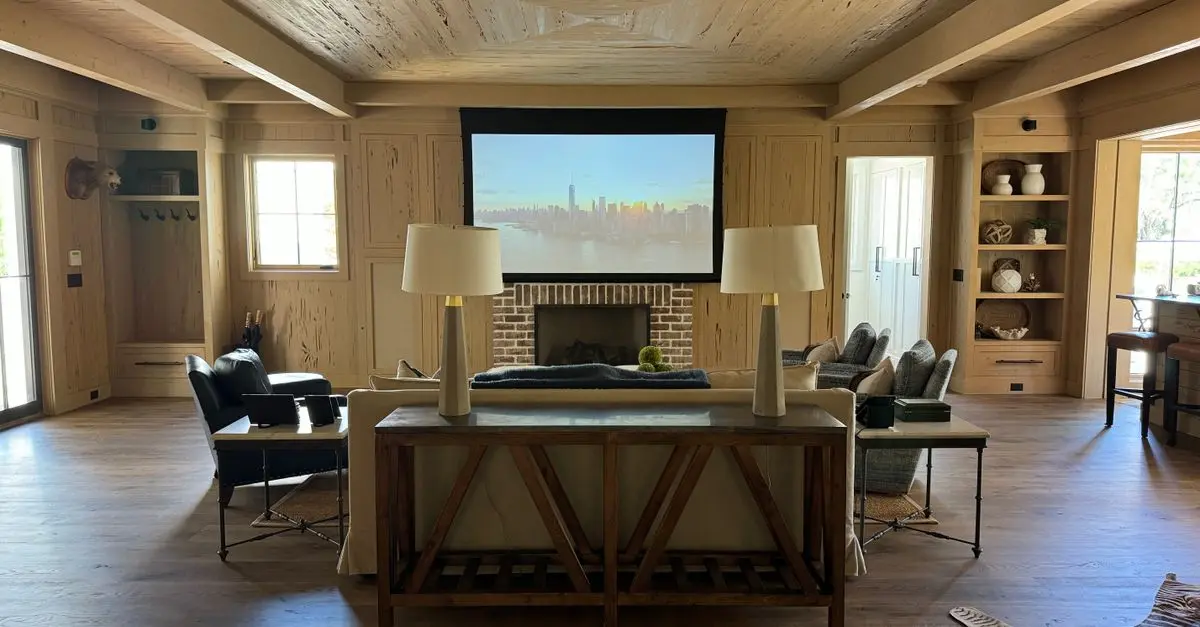
- Projectors: If you’re looking for a larger-than-life experience, projectors can create a home theater feel at a competitive cost.
When choosing a display, consider the size (depending on your room size and seating distance), resolution (4K or higher is ideal for today’s content), and refresh rates if you plan to game.
Step 3: Selecting Your Audio System
Audio is just as important as video for an immersive viewing experience.
Options include:
- Soundbars: Simple to set up and can dramatically enhance TV sound.
- Surround Sound Systems: For a more immersive audio experience, a multi-speaker setup offers depth and spatial audio capabilities.
- Receiver and separate speakers: This is a great option for audiophiles who want the best sound quality.
When setting up speakers, be mindful of the room's acoustics. Test placements to find the sweet spot where the sound is most balanced. Don’t overlook wireless speakers to reduce clutter.
Step 4: Source Components
A home entertainment system requires multiple sources to deliver content effectively:
- Streaming Devices: Devices like Roku, Apple TV, or Fire Stick can enhance your TV's capabilities, handing your 4K content with minimal effort.
- Blu-ray Players: If you enjoy physical media, having a Blu-ray player remains relevant. Many players also support 4K content.
- Game Consoles: Modern consoles often serve as media centers and gaming devices, capable of streaming directly from popular platforms.
Make sure to check for compatibility with your display and audio systems, especially if you plan to connect multiple devices.
Step 5: Cables and Connectivity
Invest in quality cables that support your device's capabilities. Typically, you'll need:
- HDMI Cables: Look for those that support the latest standards, such as HDMI 2.1 for 4K/120Hz.
- Optical Audio Cables: Useful for connecting audio systems and enhance sound quality.
- Ethernet Cables: Wired internet will provide a more stable connection than Wi-Fi for streaming.
Organize your cables neatly to avoid clutter and interference. Utilizing cable management solutions can provide better aesthetics and functionality.
Step 6: Setting Up and Calibrating Your System
With all components acquired, the final step is to set everything up:
- Connect all devices according to the manufacturer's guidelines.
- Adjust display settings for optimal picture quality based on your environment (lighting, viewing distance).
- Calibrate audio settings, making sure to test at various sound levels.
- Explore features such as surround sound settings on your receiver for depth.
Step 7: Testing and Fine-tuning
After everything is set, it’s time to test! Play various types of content (movies, music, games) to ensure every component is functioning optimally. Don’t hesitate to tweak settings based on your experiences and preferences.
Step 8: Enjoy Your Setup
Now that your home entertainment system is complete, it's time to sit back and enjoy! Make use of your system regularly to ensure you’re getting the most out of your investment. Consider updating software and checking for new features to keep everything running smoothly.
📺 Resource Video
> 📺 For more insights: Learn more about setting up an advanced home entertainment system, a great analysis on the latest technologies. Search on YouTube: 'how to set up a home entertainment system 2026'.
Checklist Before Purchasing
- [ ] Define your content preferences.
- [ ] Set a clear budget.
- [ ] Decide on the display type.
- [ ] Plan your audio system.
- [ ] Research suitable source components.
- [ ] Choose quality connection cables.
Glossary
| Term | Definition |
|---|---|
| Audio Receiver | A component that manages audio and video signals from devices. |
| Resolution | The detail an image holds; higher resolutions mean more detail. |
| Acoustics | The properties or qualities of a room that affect how sound is transmitted. |
🧠 Quick Quiz:
> What is the most important factor when choosing a display for your home theater?
> - A) Price
> - B) Size
> - C) Resolution
> Answer: C — A higher resolution provides a clearer and more detailed image.
Building a home entertainment system not only improves your viewing experience but can also be a rewarding project. If you have any questions or need assistance in your setup, feel free to reach out. Now, get ready for a fantastic entertainment journey!