Table of Contents (17 sections)
Home automation is more than just a trend; it's a revolution in how we interact with our living spaces. As more gadgets become connected, the realm of home automation has expanded rapidly, catering to the needs of users looking for efficiency, comfort, and security. When we talk about home automation tools, we refer to the devices and systems that enable you to control various aspects of your home remotely, improving your quality of life. This guide will break down the essential tools you should consider when automating your home to create a smart living environment.
1. Smart Hubs: The Heart of Your Home Automation
A smart hub can be likened to the brain of your home automation system. This device interconnects various smart gadgets and allows you to manage them from a single interface, like a smartphone app or voice command. For instance, systems like Amazon Echo or Samsung SmartThings can connect to a plethora of devices spanning lights, thermostats, and security systems.
When choosing a smart hub, consider compatibility; ensure that it works with multiple brands and device types. Popular options often support Zigbee and Z-Wave protocols, promoting seamless integration. Moreover, smart hubs typically come with automation features, such as scheduling tasks or setting scenes that allow you to adjust multiple devices simultaneously.
Before installation, ensure your Wi-Fi network is robust enough to handle multiple devices streaming and sending data consistently.
Pro Tips:
- Check the compatibility of existing devices with your chosen hub.
- Regularly update your hub’s software to improve security and functionality.
2. Smart Lighting: Illuminate Your Space
Smart lighting is among the most impactful automation tools. With devices like Philips Hue or LIFX, you can control your lights through voice commands or an app — no more getting up to flip switches. These smart bulbs can change colors, dim, and even sync with your music or movies.
Moreover, you can create schedules that align with your lifestyle; for example, lights can dim gradually in the evening, simulating a sunset, which can help improve sleep hygiene. According to a recent report, about 60% of users felt more relaxed with automated lighting systems in their homes.
When selecting smart lighting, look for features such as energy monitoring and integration with other smart devices for enhanced control.
Common Pitfalls to Avoid:
- Forgetting to check your existing light fixtures for compatibility.
- Not utilizing energy-efficient LED smart bulbs, leading to higher costs.
3. Smart Thermostats: Energy Efficiency at Its Best
Smart thermostats like Nest and Ecobee are pivotal in managing your home's heating and cooling efficiently. They learn your schedule and preferences over time, allowing them to adjust temperatures automatically to save energy when you're away, potentially reducing your energy bills by about 15% annually.
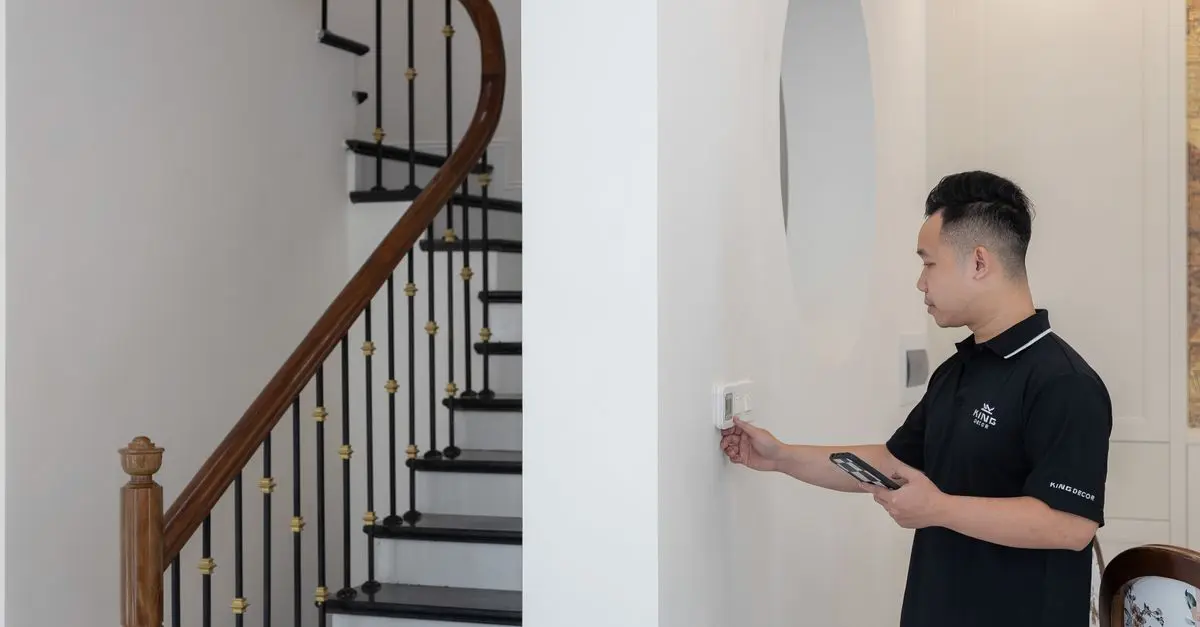
To maximize their benefits, install the thermostat in a central location away from direct sunlight or drafts to ensure accurate readings of your home’s temperature. This tool can connect to your smart hub, allowing for voice control and remote access through your mobile device.
Helpful Insights:
- Regularly check the energy usage reports provided by your thermostat.
- Experiment with different temperature settings to find your comfort zone while saving energy.
4. Security Cameras: Enhancing Safety
In the realm of home automation, security is paramount. Smart cameras, such as those from Ring and Arlo, provide real-time monitoring and alerts, keeping your home safe and secure. Many modern systems also include features like night vision and motion detection that send notifications straight to your mobile device when any activity is detected.
Before purchasing, assess the areas you want to monitor and choose models with adequate field of view and resolution. Integration with your smart hub can enable you to view footage and receive alerts seamlessly through your smart home app.
Avoid This Mistake:
- Failing to check the scope of the camera's coverage can lead to blind spots in security.
5. Smart Plugs: Everyday Automation
Smart plugs may seem simple, but they are incredibly versatile tools in home automation. Devices like the TP-Link Kasa Smart Plug allow you to control any appliance connected to the plug through your smartphone or voice commands. This can extend automation to non-smart devices, giving you control to turn items on/off remotely.
Consider creating routines, so devices automatically turn on at particular times or in response to specific conditions. For example, you can schedule a coffee maker to start brewing at 7 AM.
Precautions:
- Make sure the connected devices do not exceed the plug's rated power output.
- Familiarize yourself with the app that controls the smart plug to utilize coding options thoroughly.
Comparison of Home Automation Tools
| Tool Type | Features | Compatibility | Price Range |
|---|---|---|---|
| Smart Hub | Voice control, automation, multiple device support | Alexa, Google Assistant, etc. | $50 - $300 |
| Smart Lighting | Remote access, color changing, scheduling | Various smart home systems | $10 - $200 per bulb |
| Smart Thermostat | Energy saving, learning preferences, remote control | Alexa, Android, iOS | $100 - $300 |
| Security Camera | Video streaming, motion alerts, night vision | Many smart home hubs | $100 - $400 |
| Smart Plug | Remote on/off, scheduling, energy monitoring | Alexa, Google Assistant | $10 - $50 |
home automation tools setup
Glossary
| Term | Definition |
|---|---|
| Smart Hub | A centralized device to manage multiple smart devices. |
| IoT (Internet of Things) | A term referring to interconnected devices that communicate over the internet. |
| Zigbee/Z-Wave | Wireless communication protocols used in home automation devices. |
Checklist Before Purchase
- [ ] Check compatibility with existing devices.
- [ ] Read reviews on user experience and issues.
- [ ] Ensure firmware updates are potential for security patches.
- [ ] Compare energy efficiency ratings.
- [ ] Consider warranties and customer service availability.
Frequently Asked Questions (FAQ)
- Q: What are the benefits of home automation tools?
A: Home automation tools enhance comfort, improve energy efficiency, and provide security to your home.
- Q: Can I use multiple brands in my home automation setup?
A: Yes, but ensure the products are compatible with your chosen hub.
- Q: Do smart cameras require a subscription service?
A: Some smart cameras offer cloud storage for a fee, while others have local storage options.
- Q: Is it difficult to install smart home devices?
A: Generally, most installation processes are user-friendly, often requiring no special tools.
Conclusion
Investing in home automation tools can dramatically simplify your daily routines and enhance your living experience. By selecting the right devices tailored to your needs, you can create a smart home that not only provides convenience but also improves security and efficiency. Start small, and gradually expand your automation capabilities for the best results.