Table of Contents (11 sections)
Smart home devices have transformed the way we live, offering convenience, security, and energy efficiency. With an ever-expanding range of options available, choosing the best smart home devices for your needs can seem daunting. This guide is designed to simplify the process by helping you evaluate your lifestyle and the specific features that would enhance your home experience.
Step 1: Assess Your Needs
Before diving into the various smart home devices available, it's crucial to take a step back and assess your personal needs and preferences. Consider the following questions:
- What areas of your home do you want to automate? (e.g., lighting, security, climate control)
- How many devices do you want to connect?
- What is your budget for smart devices?
A thorough assessment will help you eliminate options that don’t align with your requirements. For instance, if you rarely cook at home, investing in smart kitchen devices might not be necessary. On the other hand, if security is your top priority, focus on smart locks, cameras, and alarms.
Step 2: Research Compatible Ecosystems
Once you've identified your needs, it's time to research compatible smart home ecosystems. Popular options include:
- Amazon Alexa
- Google Assistant
- Apple HomeKit
Each platform has its strengths, and depending on your existing devices, you may prefer one over the others. For example, if you already use an Apple smartphone, integrating HomeKit-compatible devices can provide seamless control.
Consider compatibility and interoperability between brands. Some products work better with specific ecosystems, which can enhance overall functionality. Check reviews and product specifications before making any decisions.

Step 3: Evaluate Device Features
Smart home devices come packed with an array of features. Focus on the following:
- User Interface: A user-friendly app or voice control feature is essential for easy management.
- Integration: Look for devices that can interact with each other. For example, smart lights that work with your security camera can trigger lights to turn on when motion is detected.
- Automation: Devices that allow for scheduling or automation routines can save you time and energy. For instance, you can schedule smart thermostats to adjust temperatures based on your daily routine.
Step 4: Compare Popular Devices
In a saturated market, it's helpful to compare popular smart home devices. Below is a simple comparison of three types of smart devices:
| Device Type | Option A | Option B | Verdict |
|---|---|---|---|
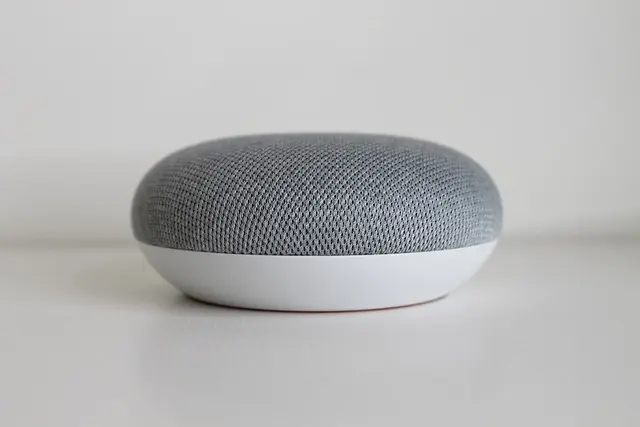
| Smart Speaker | High sound quality, Alexa-enabled | Good sound, Google Assistant | Option A offers better sound quality. |
| Smart Thermostat | Energy-saving features, app control | Basic temperature control, voice assistant | Option A saves energy efficiently. |
| Smart Security Camera | 1080p video, night vision | 720p video, no night vision | Option A offers superior video quality. |
Step 5: Check Standards and Certifications
Safety and efficiency are critical when selecting smart home devices. Look for products that meet high safety standards and energy efficiency ratings. For example, devices bearing Energy Star ratings assure you of lower energy consumption while maintaining performance. This consideration not only benefits your wallet but also contributes positively to the environment.
Additionally, consider the ease of installing these devices. Many smart devices come with installation guides, but some may require professional help. Assess your comfort level with tech installations before making a purchase.
Step 6: Read Reviews and User Feedback
Before finalizing your decision, take the time to read reviews and feedback from other users. Websites such as UFC-Que Choisir or Les Numériques can provide in-depth tests and comparisons, allowing you to gauge how a particular product performs in real-world scenarios. Look for insights on customer support, reliability, and any common issues encountered by users.

Drop Dash Deals Screen Clip Phone Mount, Universal Smartphone Holder Screen Clip Phone Mount, Universal Smartphone Holder
inspireuplift.com

WHALL - 2 Slice Toaster, Toasters 2 slice, Smart Bread Toaster, Touchscreen Toaster wide slots - Stainless Steel
bestbuy.com
Conclusion
Choosing the best smart home devices involves a thoughtful evaluation of your needs, compatibility with ecosystems, feature sets, and thorough research. By following these steps, you can ensure that your selections enhance your lifestyle and make your home smarter and more efficient.
Checklist before Purchase
- [ ] Assess personal needs and preferences.
- [ ] Research compatible smart home ecosystems.
- [ ] Evaluate the features of potential devices.
- [ ] Compare popular devices and read user reviews.
- [ ] Check for safety standards and certifications.
Glossary
| Term | Definition |
|---|---|
| Smart Home | A residence equipped with technology that allows for remote management and monitoring of home systems such as security, lighting, and climate. |
| Compatibility | The ability of different devices to work with each other, often influenced by the smart home ecosystem chosen. |
| Automation | The capability of electronic devices to perform tasks automatically based on pre-set conditions or schedules. |
> 🧠 Quiz rapide : What is the most important factor to consider when choosing smart home devices?
> - A) Price
> - B) Compatibility
> - C) Brand
> Réponse : B — It's essential to ensure devices can work together within your chosen ecosystem.
📺 For further exploration: [Smart Home Setup Guide: How to Get Started], a complete overview of smart home technology. Search on YouTube: how to choose smart home devices 2026.
📺 Pour aller plus loin : how to choose smart home devices 2026 sur YouTube
Recommended products
Selected by our experts


Smart Smartphone Case - For Samsung Galaxy XCover6 Pro Smartphone - Black
bestbuy.com

MOVO - PR-1 Smartphone Grip Handle Rig - Compatible with Most Smartphones
bestbuy.com

Movo PR-1 Smartphone Grip Handle Rig - Compatible with Most Smartphones black
shop.simon.com